
More families in Singapore now need reliable printing at home. School projects and work documents require consistent output quality. Modern devices handle printing, scanning, and copying with ease.
Our guide helps you choose the perfect model for your needs. We tested various units for performance and value. Consider both family use and small office tasks when selecting.
Current trends show popularity for models under S$300. Key factors include ink systems, print speed, and wireless features. Let us help you find a machine that fits your space and budget.
Key Takeaways
- Modern printers offer multiple functions beyond basic printing
- Consider both home and small office usage requirements
- Printers under S$300 are popular in Singapore’s market
- Ink systems significantly impact long-term printing costs
- Wireless connectivity enhances convenience for multiple users
- Print quality varies considerably between different models
- Paper handling capacity matters for frequent printing needs
Finding the Best Home Printer in Singapore
Singaporean households face unique printing demands that require specialized solutions. The combination of educational requirements, government documentation, and space limitations creates specific needs that not all devices can meet effectively.
What Makes a Printer Ideal for Singaporean Homes?
Space constraints significantly influence device selection in Singapore’s compact living environments. Families typically need equipment that fits comfortably in limited areas while delivering comprehensive functionality.
Multi-function capabilities have become essential for modern households. The ability to handle printing, scanning, and copying within one unit saves both space and money. This versatility supports various tasks from school projects to personal documentation.
Wireless connectivity has transformed how families use their printing equipment. Multiple users can print from smartphones, tablets, or laptops without physical connections. This feature proves particularly valuable in households with several family members needing access.
Cost considerations extend beyond the initial purchase price. Singaporean consumers carefully evaluate ongoing expenses including ink or toner replacement costs. Environmental factors like energy efficiency also influence decisions among eco-conscious buyers.
Understanding Your Printing Needs: Home vs. SOHO
Home usage typically involves occasional printing with moderate volume requirements. Families might print school assignments, government forms, or personal documents several times weekly. The emphasis remains on convenience and ease of use rather than high-volume output.
Small office/home office (SOHO) environments present different requirements. These users often need higher printing capacity and faster output speeds. Additional features like automatic document feeders and duplex printing become more valuable in these scenarios.
Volume differences represent the primary distinction between home and office needs. Home users might print 50-100 pages monthly, while SOHO environments could require 200-500 pages. This volume difference directly impacts the ideal type of printing system.
Ink tank systems have gained popularity for their cost-effectiveness in higher volume situations. These systems reduce the per-page cost significantly compared to traditional cartridge-based options. The initial investment often pays for itself through reduced ongoing expenses.
Paper handling capacity varies considerably between devices designed for different environments. Home-oriented models typically handle 100-150 sheets, while SOHO-focused equipment might manage 250-500 sheets. This capacity difference affects how frequently users need to reload paper.
How We Reviewed the Best Home Printers
Our team developed a thorough evaluation process to identify top-performing devices. We spent months testing various models under real-world conditions. Every machine underwent identical testing protocols for fair comparison.
We focused on practical aspects that matter most to actual users. Our approach combined technical measurements with everyday usage scenarios. This dual perspective ensured both accuracy and real-world relevance.
Our Testing Criteria: Performance, Value, and Features
Print quality assessment involved multiple document types. We examined text sharpness on various paper weights. Color accuracy received special attention for graphics and photos.
Scanning capabilities underwent rigorous evaluation. We tested resolution accuracy and color reproduction. Document feeder performance was measured for multi-page jobs.
Value calculation considered both initial and long-term costs. We computed per-page printing expenses for each model. This included ink or toner replacement costs over time.
Feature evaluation focused on practical usability. Wireless connectivity performance was tested with multiple devices. Duplex printing efficiency was timed and quality-checked.
Build quality assessment examined durability and materials. User-friendliness was evaluated through setup and daily operation. We considered how intuitive each control interface felt.
| Testing Category | Evaluation Methods | Weight in Score |
|---|---|---|
| Print Quality | Text samples, color graphics, photo printing | 30% |
| Performance | Print speeds, first page out time, scanning speed | 25% |
| Value Assessment | Initial cost, ink expenses, maintenance costs | 20% |
| Features | Connectivity, paper handling, special functions | 15% |
| Design & Usability | Setup process, control layout, software quality | 10% |
Focus on Singapore: Availability and Local Pricing (SGD)
All reviewed models are readily available in Singapore. We verified stock through official distributors and major retailers. Local warranty coverage was confirmed for each device.
Pricing reflects actual Singapore dollar amounts from Q2 2023 to Q2 2024. We tracked price fluctuations across different sales channels. Promotional pricing was noted but not relied upon for scoring.
Singapore-specific considerations influenced our testing priorities. Compact size received extra attention due to space constraints. Energy efficiency was measured considering local utility costs.
We ensured all recommended models suit Singapore’s climate conditions. Humidity tolerance and power requirements were verified. Local customer support availability was research thoroughly.
Our testing period captured recent technological advancements. New ink tank systems received particular attention. Latest connectivity features were tested extensively.
The Top Home Printers in Singapore Reviewed
After extensive testing, we identified standout models that deliver exceptional results. Each device offers unique advantages for different household requirements. Our reviews focus on real-world performance and long-term value.
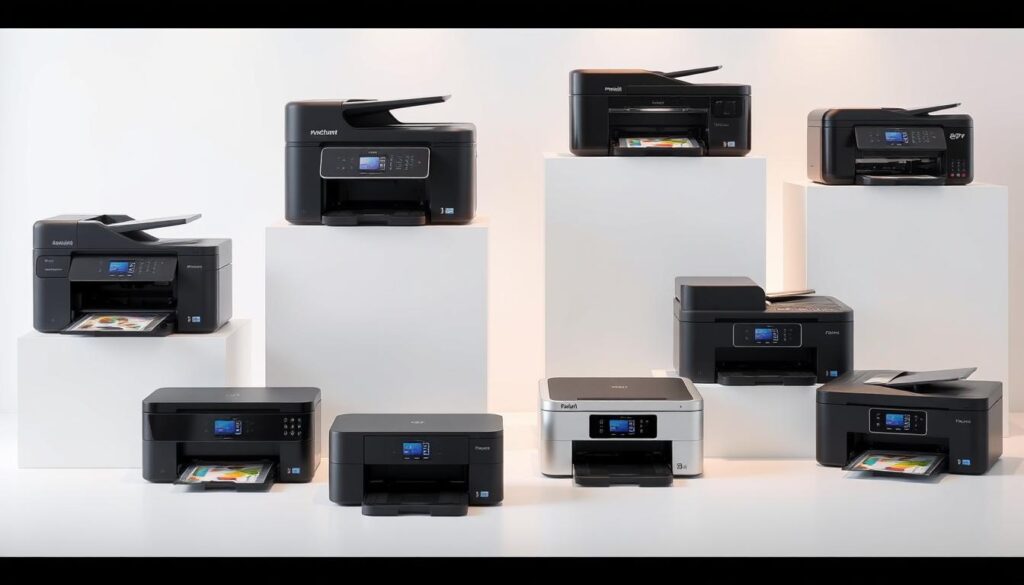
We examined print output, scanning capabilities, and operational costs. Setup simplicity and daily usability received equal attention. These factors determine overall satisfaction with your chosen device.
HP Smart Tank 580: Excellent Value and Low Running Costs
Priced at S$259, this model delivers outstanding performance for its cost. It scored highly in user-friendliness (8.0) and value (8.0). The device handles various printing tasks with consistent quality.
Print tests revealed darker, clearer blacks than competing models. Colors appear crisp and sharp without oversaturation. Scanning performance matches this quality with accurate color reproduction.
Running costs are lower than the Canon Pixma G3770. This makes it ideal for families printing regularly. You can find it at HP’s online store, Amazon, Shopee, Lazada, Courts, and Challenger.
Canon Pixma G3770: Solid Performer with LCD Display
This S$299 model includes a helpful LCD screen for easier operation. It scored 7.0 across design, performance, and user-friendliness. The display simplifies navigation through various functions.
Print output appears slightly lighter compared to the HP model. Colors show more muted characteristics in our testing. Scanning results sometimes show overly rich colors with minor bleeding.
Despite these points, it remains a reliable choice for basic needs. Availability includes Canon’s online store, Shopee, Harvey Norman, Courts, and Gain City.
Epson EcoTank L1250/L3250: Cost-Effective High-Capacity Choice
The L1250 costs S$269.30 while the L3250 is S$329.00. Both feature large ink tanks that reduce refill frequency. This system significantly lowers per-page printing expenses.
Wireless printing support allows convenient mobile operation. The compact design fits easily in limited spaces. These models suit users who print frequently but want to control costs.
Brother MFC-J2340DW: Versatility with A3 Printing Capability
Priced at S$368, this device handles larger A3 paper sizes. It efficiently produces both monochrome and color documents. Wireless connectivity supports modern printing habits.
The A3 capability makes it perfect for design projects or large formats. It’s particularly valuable for home-based creative work. This feature sets it apart from standard A4 models.
Canon MAXIFY GX7070: Power Choice for High-Volume Home Offices
At S$899, this model serves extensive printing needs without frequent refills. It offers automatic duplex printing and scanning capabilities. The device handles various media types beyond standard paper.
Designed for heavier usage patterns, it suits small office environments. The higher initial investment pays off through reduced operational costs. It’s the premium option for serious printing requirements.
| Model | Price (SGD) | Print Quality | Running Costs | Special Features |
|---|---|---|---|---|
| HP Smart Tank 580 | 259 | Excellent | Low | Wireless printing |
| Canon Pixma G3770 | 299 | Good | Medium | LCD display |
| Epson EcoTank L1250 | 269.30 | Very Good | Very Low | High capacity tanks |
| Epson EcoTank L3250 | 329.00 | Very Good | Very Low | Wireless + high capacity |
| Brother MFC-J2340DW | 368 | Good | Medium | A3 printing |
| Canon MAXIFY GX7070 | 899 | Excellent | Low | Auto duplex, heavy duty |
Each model addresses different household printing requirements. The HP Smart Tank 580 offers the best balance of quality and economy. For more specialized needs, consider the Brother’s A3 capability or Canon’s high-volume design.
Remember to evaluate your actual printing volume before choosing. As noted in our comprehensive printer guide, matching your needs to the right features ensures long-term satisfaction.
Key Factors to Consider Before You Buy
Making the right choice requires understanding what truly matters for your situation. Different households have unique priorities that influence their ideal device selection.
We break down the most critical considerations into clear categories. This helps you focus on aspects that deliver real value for your investment.
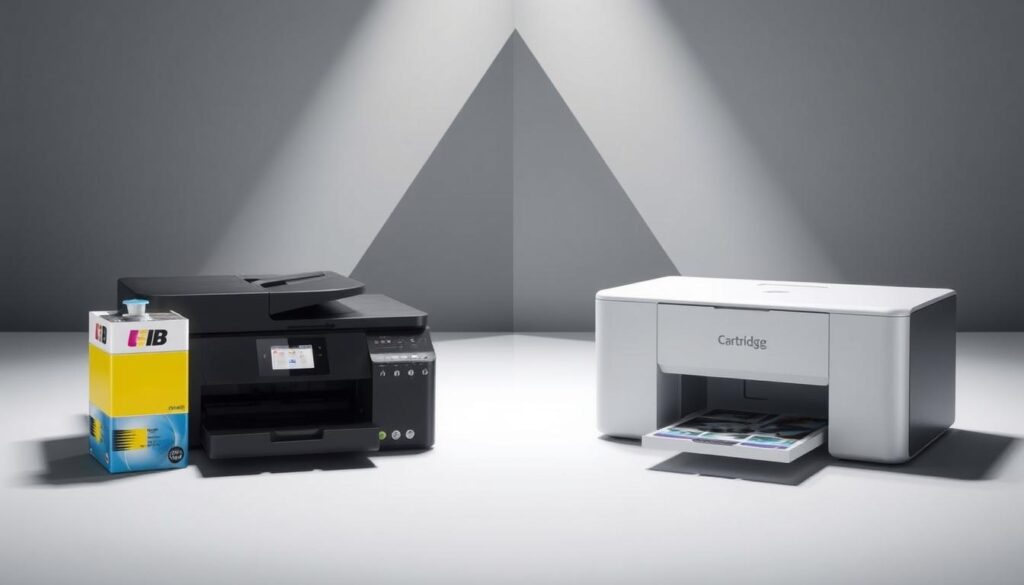
Ink Tank vs. Cartridge Systems: Long-Term Cost Analysis
Ink systems dramatically impact your total printing expenses over time. Cartridge-based models like the HP OfficeJet Pro 9130E illustrate this clearly.
Replacing all four cartridges costs S$181.80 for approximately 800 pages. That’s nearly S$0.23 per page just for ink costs alone.
Ink tank systems change this equation completely. The Canon Maxify GX2070 demonstrates how tanks reduce per-page costs significantly.
You’ll spend less on ink refills while printing more pages between refills. This makes tank systems ideal for families printing regularly.
The savings become substantial over one or two years of use. Many users recover the initial price difference through reduced operating costs.
Print Quality and Speed: What Really Matters for Home Use
Output quality varies considerably between different models and technologies. Text sharpness remains the most important factor for most households.
Black text should appear crisp without any bleeding or fuzziness. Color accuracy matters for school projects and personal photos.
Print speed measurements can be misleading for home environments. Most families care more about first-page-out time than maximum pages per minute.
How quickly you get that first page matters more than theoretical maximum speeds. This is especially true for occasional printing needs.
According to HP’s buying guide, smaller devices typically print around 5 pages per minute while enterprise models reach 70 ppm. For home use, 10-15 ppm usually satisfies most requirements.
Essential Features: Wireless Connectivity, Scanning, and Size
Modern households need wireless printing capabilities. Multiple users can print from smartphones, tablets, or laptops without cables.
This convenience proves invaluable in multi-person households. Everyone can print directly from their own devices effortlessly.
Scanning functionality has become equally important. Digitizing documents, school work, and personal items happens regularly in most homes.
Compact design matters significantly in space-conscious environments. The device should fit comfortably without dominating your workspace.
Additional features like automatic document feeders benefit those scanning multi-page documents regularly. For most families, basic flatbed scanning suffices for occasional needs.
Duplex printing saves paper but isn’t essential for everyone. Consider your actual paper usage patterns before prioritizing this feature.
Paper handling capacity ranges from 100-250 sheets for most home models. Larger capacities reduce reload frequency but increase the device’s footprint.
Energy efficiency deserves attention for environmentally conscious buyers. Look for ENERGY STAR® certification when comparing models.
Where to Buy Your Printer in Singapore
Singapore offers numerous purchasing options for your new printing device. Different channels provide varying benefits for price, support, and convenience. Understanding these differences helps you make an informed decision.
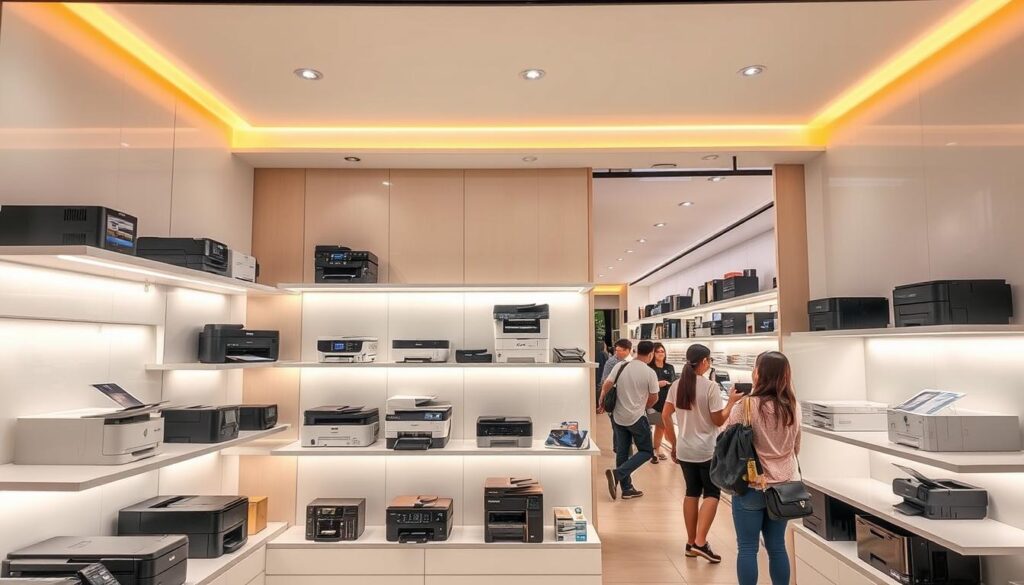
Your choice affects both initial cost and long-term satisfaction. Some retailers offer better prices while others provide superior after-sales service. Consider your priorities before selecting a purchase channel.
Official Stores and Recommended Retailers
Brand official stores guarantee genuine products and full warranty coverage. HP, Canon, Epson, and Brother maintain dedicated retail locations. These outlets often feature the latest models and expert staff.
Major electronics retailers provide competitive pricing and immediate availability. Courts, Challenger, Harvey Norman, and Gain City stock multiple brands. You can compare different models side-by-side in these stores.
Specialized retailers like Stationery World and Popular Book Company offer unique expertise. They understand specific printing needs for various applications. Their staff can recommend suitable options based on your requirements.
Pricing varies between different retail channels. Physical stores sometimes match online prices during promotions. Always check current offers before making your purchase decision.
Warranty considerations differ between retailers. Official brand stores typically provide comprehensive support. Third-party retailers may have varying service levels.
Online Marketplaces: Lazada, Shopee, and Amazon SG
Online platforms offer convenience and competitive pricing. Lazada, Shopee, and Amazon SG feature extensive printer selections. You can compare prices and features from multiple sellers.
These marketplaces frequently run promotions and discount events. Flash sales and voucher codes can significantly reduce costs. Sign up for newsletters to receive sale notifications.
Delivery considerations include timing and installation support. Some sellers offer same-day delivery in Singapore. Check whether setup assistance is included.
Verify product authenticity when purchasing online. Buy from authorized sellers and check customer reviews. Genuine products ensure proper performance and warranty coverage.
After-sales support varies between online sellers. Some provide local service centers while others require shipping for repairs. Confirm support details before completing your purchase.
Seasonal sales periods offer excellent opportunities for savings. Major shopping events like Black Friday and Singles’ Day feature significant discounts. Plan your purchase around these events for better value.
Conclusion: Choosing Your Perfect Home Printer
Selecting the right device for your household involves matching your unique needs with the right features. Our testing reveals clear winners for different situations.
The HP Smart Tank 580 stands out for its outstanding value and low running costs. It delivers crisp print quality and reliable performance for everyday tasks.
Consider the Canon Pixma G3770 if you prefer an LCD display for easier navigation. Epson EcoTank models offer impressive capacity for frequent printing.
For specialized needs, the Brother unit handles A3 paper sizes beautifully. The Canon MAXIFY suits high-volume home office environments perfectly.
Always evaluate your space, budget, and printing habits before deciding. Remember that long-term ink costs often matter more than the initial price.
Choose wisely based on your specific requirements rather than following trends. Your perfect match awaits among these tested and proven options.
FAQ
What is the difference between an ink tank printer and a cartridge-based model?
Ink tank printers use refillable reservoirs for each color, drastically lowering the cost per page. Cartridge-based models use sealed, replaceable units that are more expensive over time. For frequent printing, an ink tank system offers superior long-term value.
Is wireless connectivity important for a home printer?
A> Absolutely. Wireless connectivity allows you to print from laptops, phones, and tablets without cables. This feature supports a cleaner, more flexible workspace and is a standard expectation for modern home and SOHO setups.
How important is automatic duplex printing?
Automatic duplex, or two-sided printing, is a highly useful feature. It saves paper and is essential for creating professional-looking documents, reports, or booklets without the hassle of manually flipping pages.
What should I prioritize: print speed or print quality?
For most home users, quality is the priority. Sharp text for documents and vibrant colors for photos are key. Speed is often a secondary concern unless you’re printing high volumes regularly, as modern printers are sufficiently fast for typical tasks.
Are there printers that can also scan and copy?
Yes, many popular models are all-in-ones. They combine printing, scanning, and copying functions in a single device. Look for a model with a flatbed scanner or an automatic document feeder (ADF) to make multi-page scanning easier.
Where is the best place to buy a printer in Singapore?
A> You can find great options at official brand stores, large electronics retailers, and popular online marketplaces like Lazada, Shopee, and Amazon SG. Online platforms often feature competitive pricing and convenient delivery.